
Video terminal
𐑝𐑦𐑛𐑦𐑴 𐑑𐑻𐑥𐑦𐑯𐑩𐑤
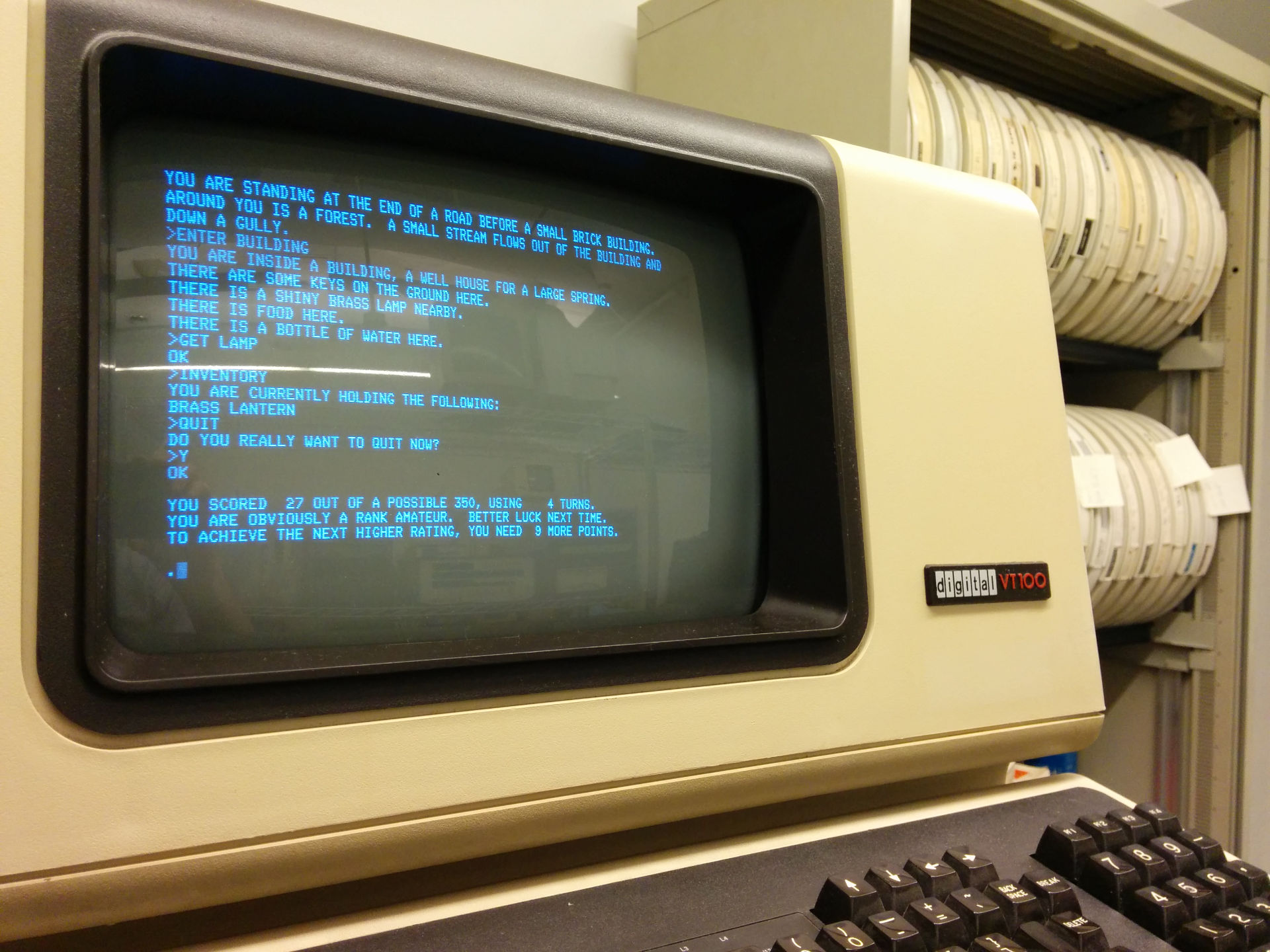
VT100 (Photo: Autopilot)
A video terminal is a CRT terminal that uses light and glass to provide an erasable grid of characters, usually 80×24.
Contrast with an older and much louder teleprinter, an electromechanical terminal which uses ink and paper to provide a permanently printed grid of characters, the number of lines limited only by the length of the roll of paper.
What you lose in the ability to physically scroll back and see what was printed hours or days ago, you gain in immediacy and flexibility — not to mention the saving in paper, and the relative peace and quiet.
One significant introduction was the cursor, signifying where the virtual print head is. Using ANSI escape codes, you can move this cursor around the screen as needed, up and down, left and right. These escape codes also let you format characters as bold or inverted, and use an alternate character set to draw boxes around text, amongst other enhancements.
The other significant introduction is the ability to fully replace characters, rather than add new ones right on top of the old ones. Ink stays put. Light doesn't. You can replace any character on the screen with any other character, as often as you need to.
This is the point where terminals went from depicting a back-and-forth conversation between a user and computer, consisting of complete lines, to letting you move the cursor around the grid, deleting or inserting the odd character or word here and there, letting the computer nudge the subsequent characters back and forth to compensate.
Line-oriented text editors like ed were replaced with much more immediate screen-oriented text editors like vi. Similarly, text adventure games like Colossal Cave Adventure, which described what was happening to your protagonist with prose, were replaced with pseudo-graphical ones like Rogue, showing you moving around the map on the screen in realtime.
It superficially looked as if you'd stopped telling the computer what to do for you, and started doing it yourself. You didn't tell it to replace a word; you replaced the word yourself. You didn't tell the protagonist to go north, then read the description of the new location; you pressed the up arrow on the keyboard, and watched an @ symbol representing them move up a line.
Although most terminals still dealt exclusively with plain text, it was a step away from conversations, towards immediate actions. Perhaps it was also a step away from literacy, towards imagery.
Types of terminal: Teleprinter | Video terminal
Video terminals: Dasher